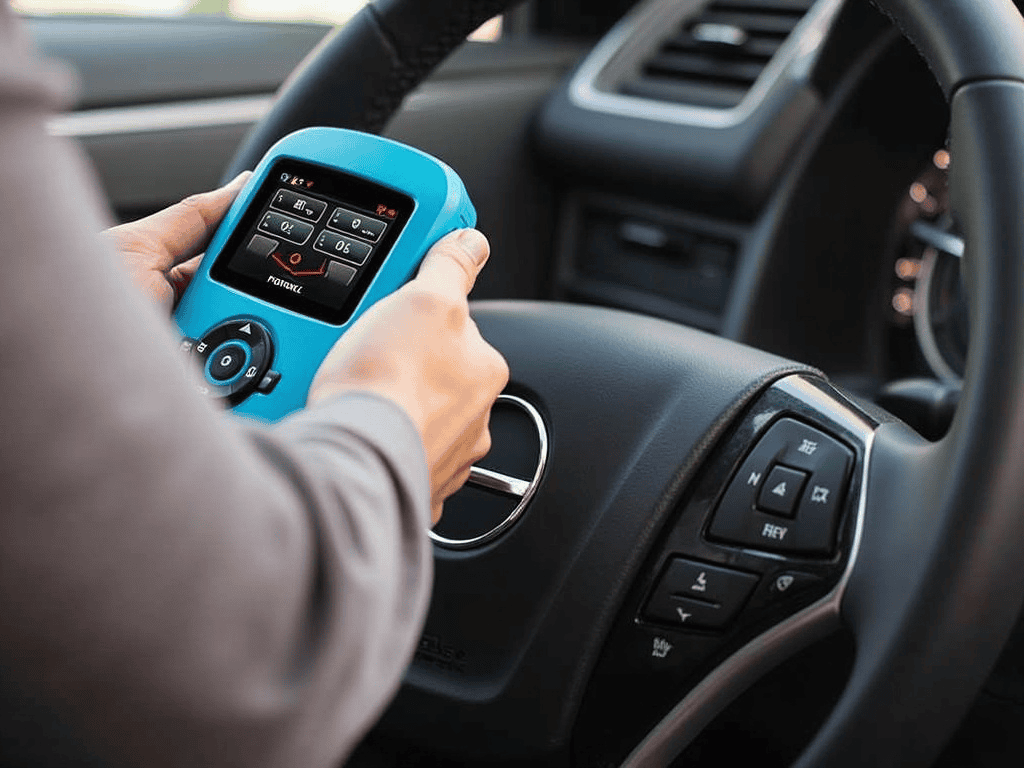
The best OBD2 scanner for a beginner is not the one with the most features. It is the one that reads and clears a code, shows a plain-language description instead of just a number, and does not require a subscription to keep working. Beyond that baseline, a beginner is usually better served by spending less rather than more, because most of the price jump above entry level pays for capabilities (bidirectional control, full-system access, professional coverage) that a first-time user has no immediate use for.
This is a criteria guide, not a leaderboard. AutoGearZone does not sell scanners and is not naming a single "number one pick," because the right tool depends on what you plan to do with it, not on a ranking that flatters one brand. Below is how to judge the category honestly.
What "beginner" actually means here
Two very different readers search for this term, and they need different tools.
- The reader who just wants to know why the check engine light is on. They want a code, a plain description, and a clear button. Nothing else matters yet.
- The reader planning to get seriously into DIY diagnostics. They want a tool that will still be useful in a year, once "read the code" is not enough anymore.
If you are the first reader, buy for today's job. If you suspect you are the second, it is worth reading a little further before you buy, because outgrowing a tool in three months costs more than buying slightly better once. Our guide to what a bi-directional scan tool does is the natural next stop once basic code reading stops being enough.
The criteria that separate a good beginner tool from a bad one
1. Plain-language code descriptions, not just the number
Every scanner shows a code like P0301. A genuinely beginner-friendly one also shows, in plain words, what that code generally means (a misfire, an emissions leak, a sensor reading out of range) rather than leaving you to look it up separately. This single feature does more for a first-time user than any spec-sheet number.
2. One clean workflow: read, describe, clear
You want three buttons to matter: read codes, see what they mean, clear them if you choose to. A cluttered menu of settings a beginner will never touch is a sign the tool was designed for a different buyer.
3. No ongoing subscription just to keep reading codes
Some tools gate basic code-reading behind a data plan or an annual renewal. For a beginner's use case, that is a cost trap. Confirm before buying whether core functions work with no ongoing fee; save subscription tolerance for tools you have grown into needing.
4. Confirmed compatibility with your car, not just "OBD2 compatible"
"Works with all OBD2 vehicles" describes the generic engine and emissions layer only. It says nothing about how well a tool's app, screen, or code database actually explains what it finds on your specific make. Check user reports for your brand specifically, not just the box's blanket claim.
5. Physical form factor you'll actually use
A Bluetooth adapter that talks to your phone and a self-contained handheld solve the same problem in different ways. Neither is objectively better for a beginner; the choice comes down to whether you would rather glance at your phone or a small dedicated screen. Our Bluetooth-versus-handheld comparison walks through the trade-off in full.
The two categories a beginner actually chooses between
| Category | What it does well | What it does not do | Fits best if |
|---|---|---|---|
| Basic code reader (handheld or Bluetooth) | Reads and clears codes, shows freeze-frame data, plain descriptions | No bidirectional control, limited to generic OBD2 depth on many brands | You want to understand a warning light, occasionally |
| Mid-range Bluetooth-plus-app tool | Adds live data, more code detail, sometimes brand-specific modules | Depends on your phone; app quality varies a lot between products | You expect to keep learning diagnostics past the basics |
Professional bidirectional tablets and brand-specific tools sit above both of these, and they are the wrong starting point for a true beginner regardless of price, because their value only shows up once you already know which active tests you need. That threshold is covered separately in our bi-directional scan tool guide.
What to skip as a beginner
- A tool advertised mainly on bidirectional control or coding. Those are real capabilities, but a beginner rarely has the diagnostic experience yet to use them safely or productively.
- A tool whose marketing leads with "professional-grade" and a long spec list before explaining what it actually shows you on the screen. If a listing cannot describe its plain-language output in one sentence, that is a signal, not a feature.
- Buying the cheapest possible reader with no attention to your specific brand. Vehicle coverage genuinely varies by make and model year, which our guide on scanner brand coverage covers in more depth.
The honest bottom line
A beginner's first scanner should do exactly three things well: read a code, explain it in plain language, and clear it without a subscription fight. Everything past that (live data, bidirectional control, full-system access) is a real upgrade, but it is the second scanner's job, not the first one's. Once you have used a basic reader for a season and know which features you actually reach for, upgrading with intent beats guessing up front.
FAQ
Do beginners need a Bluetooth scanner or a handheld one?
Neither is inherently better for a beginner. A Bluetooth adapter is usually cheaper and uses your phone's screen; a handheld is self-contained and does not depend on an app. Pick based on which you would rather glance at, not on capability, since both read and clear codes equally well at entry level.
Is a cheap OBD2 scanner good enough for a beginner?
For reading and clearing a code with a plain-language description, yes, a well-reviewed entry-level tool is genuinely enough. The point where price starts mattering is live data, bidirectional control, and full-system coverage past the engine, none of which a true beginner typically needs on day one.
Do I need a subscription for a beginner OBD2 scanner?
You should not need one for basic code reading and clearing. Some tools gate deeper features or extended vehicle coverage behind a paid plan; confirm what is included before buying rather than assuming "free forever" applies to every function.
Will a beginner scanner work on my specific car?
Generic OBD2 functions work on any compliant vehicle from the relevant model year onward. How well the plain-language descriptions and deeper functions work on your specific brand varies, so check reviews and listings for your make and model rather than trusting a blanket "works on all cars" claim.
What should a beginner buy instead of the cheapest scanner?
If your budget allows a small step up from the absolute cheapest option, prioritize plain-language code descriptions and no subscription requirement over any other feature. Those two things affect a first-time user's experience far more than an extra spec on the box.
AutoGearZone earns no commission on any product category or brand named here; the criteria above are meant to help you judge a listing on its own terms. More on that approach on our about page.