
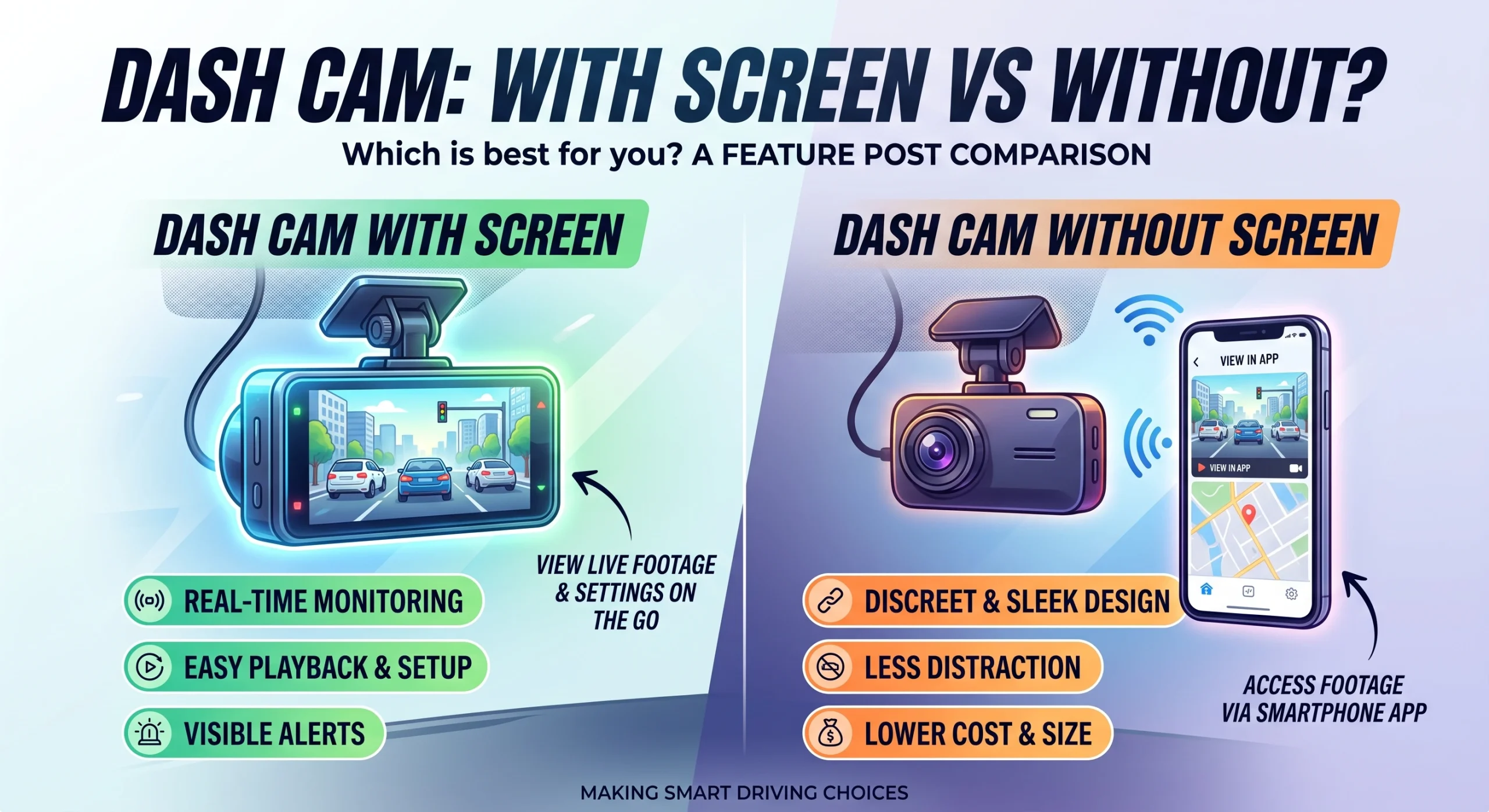
A screen earns its keep in the first five minutes, when you are aiming the camera and working through the settings, and again on the day something happens and you want to confirm the clip exists before you drive off. For the other several hundred days of the year it is a small bright rectangle you have stopped noticing. Go screenless and none of that changes except one thing: the app becomes your only way in, so the app's quality stops being a convenience question and becomes the entire interface.
What the screen is actually for
Aiming the camera. This is the strongest argument and it is genuinely useful. A screen lets you see exactly what the lens sees while you position the mount, which is the difference between a horizon in the right third of the frame and a camera pointed at your own bonnet. Doing this through a phone app is possible and is fiddlier, particularly alone in a parking lot.
Settings. Resolution, loop length, sensitivity, parking mode behavior, date and time. All of it is easier on a device with buttons and a display than through a pairing sequence.
Confirmation. After an incident, seeing that the file exists and shows what you think it shows, before you leave, is worth something. Retrieving it properly comes later; knowing it is there matters now.
Playback in the car, which sounds useful and mostly is not, since the screen is small and you are usually better off on a phone or a computer.
The screenless trade: the app becomes the only interface
Everything above still has to happen on a screenless camera. It happens on your phone.
That means the app is no longer a nice extra. It is how you aim the camera, how you change any setting, how you check the camera is even recording, and how you get a clip off it. A good app makes a screenless camera pleasant and the missing screen genuinely irrelevant. A bad app makes the same camera a source of low-grade irritation every single time you touch it, and there are plenty of bad ones.
So the honest advice is: if you are buying screenless, research the app harder than you research the camera. Owner reviews of the app, and specifically how recently it was updated and whether it works on your phone's current operating system, are the things to look at. We go into this in the app is half the product.
Screenless cameras also tend to be physically smaller and to tuck behind the mirror more discreetly, which is a real advantage rather than a cosmetic one.
Discretion, glare and the eyeline
Three practical points that decide this for a lot of people.
A visible camera is a visible camera. Some drivers want that, as a deterrent. Others would rather nothing in the car advertised that there is something worth taking. A compact screenless unit tucked behind the mirror is close to invisible from outside.
Screens glow at night. Most cameras dim or blank the display after a period, but not all do it well, and a bright rectangle reflecting in the windshield on a dark road is a genuine annoyance. If you buy a camera with a screen, check that it can be turned off rather than only dimmed.
Anything in the driver's field of view is worth thinking about, both for your own concentration and because rules on what may be mounted where vary by jurisdiction. Worth checking what applies where you drive rather than assuming.
Mirror-style cameras take the screen idea to its conclusion by making the whole rear-view mirror a display, which brings its own set of trade-offs and is worth reading about separately in mirror-style dash cams.
Screen and screenless, point by point
The same points gathered into the jobs you will actually use the camera for.
| With a screen | Screenless | |
|---|---|---|
| Aiming the camera | See exactly what the lens sees while you position the mount | Possible through the phone app, and fiddlier, particularly alone in a parking lot |
| Changing settings | On a device with buttons and a display | Through a pairing sequence and the app |
| Confirming a clip after an incident | See on the spot that the file exists and shows what you think it shows | The app has to tell you |
| Playback in the car | Possible, though the screen is small and a phone or computer is better | On a phone or computer |
| Size and visibility | A visible device, which some drivers want as a deterrent | Physically smaller, tucks behind the mirror, close to invisible from outside |
| At night | A display that glows, so check it can be turned off rather than only dimmed | Nothing to glow |
| How much the app matters | It is a convenience | It is the entire interface |
The last row is the one to weigh, because a screenless camera is only as good as the app attached to it, and there are plenty of bad ones. The table says nothing about power source, sensor or thermal behavior, which sit above this whole decision.
Who should choose which
Buy a screen if: you want to set the camera up without involving your phone, you are not confident with apps, you want to verify footage immediately after an incident, or you like the deterrent effect of a visible device.
Buy screenless if: you want the smallest and most discreet installation, you are comfortable doing everything through an app, or you have already identified a camera whose app is well regarded and actively maintained.
Do not choose either one over a camera with a better power source, sensor or thermal behavior. This is a preference-level decision and it belongs below those, as set out in the dash cam buying guide.
One caution at the budget end: very cheap cameras sometimes have a screen and a poor app, which sounds like the safe combination and often means the app was an afterthought. What else gets quietly cut at that price is covered in what you actually give up under sixty dollars.
FAQ
Do I need a dash cam with a screen?
No, but a screen makes aiming and setup easier and lets you confirm footage immediately. Without one, your phone app does all of that, so the app's quality matters much more.
Is a screenless dash cam harder to set up?
Only if the app is poor. With a well-designed app the setup is straightforward and the missing screen is barely noticeable. With a bad app it is a recurring frustration.
Does a dash cam screen distract you while driving?
It can, particularly at night if it does not dim or switch off. Most cameras blank the display after a period; check that yours can be turned off completely rather than only dimmed.
Are screenless dash cams smaller?
Generally yes, and they tuck behind the rear-view mirror more discreetly, which is a genuine advantage both for your view and for not advertising the device to passers-by.
Can I still see live footage on a screenless dash cam?
Yes, through the app over the camera's own wireless connection. That is also how you aim it during installation.
AutoGearZone does not sell dash cams and earns no commission from any brand or model named here. More on how we work on our about page.